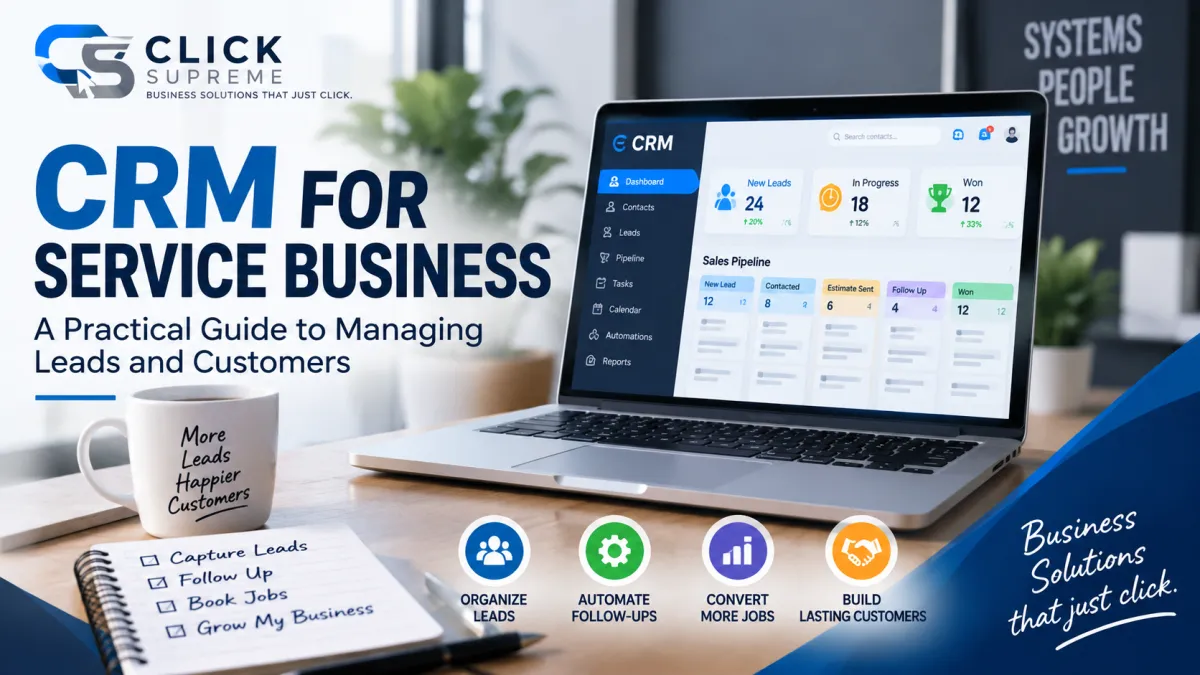
CRM for Service Business: A Practical Guide to Managing Leads and Customers
Running a service business often means managing much more than the actual service you provide. New leads may come in through your website, Google, referrals, phone calls, advertising, and social media, while existing customers need estimates, appointment reminders, follow-ups, and ongoing communication.
When the business is small, it may be possible to manage all of this through an email inbox, spreadsheet, calendar, or even memory. But as more opportunities begin coming in, those simple methods can become harder to maintain. A prospect gets an estimate but doesn't receive a follow-up. Someone calls the office, but the conversation isn't documented. A lead says to call back next month, and no one remembers when next month arrives.
That's where a CRM for service business can become valuable. Rather than simply storing names and phone numbers, a customer relationship management system can give a service business a central place to organize leads, customer information, conversations, opportunities, and follow-up activity.
More importantly, it can help create a repeatable process for moving people from their first inquiry through the sales process and into a long-term customer relationship.
What Is a CRM for a Service Business?
CRM stands for customer relationship management. In practical terms, a CRM is a system that helps a business keep track of its interactions with prospects and customers.
For a service business, that relationship often begins when someone calls, fills out a form, requests an estimate, books an appointment, or responds to an advertisement. Instead of allowing that information to live in several different places, a CRM can bring the important details together.
Imagine a homeowner visits a contractor's website and requests an estimate. Their name, contact information, requested service, and lead source can be added to the CRM. When someone contacts the homeowner, that activity can become part of the same customer record. If an estimate is sent, the opportunity can move to the appropriate stage in the sales process. If the homeowner asks to be contacted again next week, the business has a way to keep track of that next step.
The result is a clearer picture of the entire relationship rather than a collection of disconnected conversations.
Why Service Businesses Can Outgrow Spreadsheets and Inboxes
There's nothing inherently wrong with using a spreadsheet to manage leads. In fact, for a new business receiving only a few inquiries each week, a spreadsheet may be all that's necessary.
The challenge appears as the number of leads, employees, marketing channels, and customer conversations grows. One employee updates the spreadsheet while another forgets. A prospect replies to an email, but the person responsible for the opportunity doesn't see it. Someone promises to call a potential customer on Friday, but Friday gets busy and the follow-up never happens.
Individually, these may seem like small mistakes. Over time, however, they can represent lost opportunities that the business already spent time or money generating.
A CRM provides structure around those conversations. Instead of expecting someone to remember every next step, the business has a system that can show what has happened, what needs to happen next, and where each opportunity currently stands.
How a CRM Helps Manage Service Business Leads
One of the most useful parts of a CRM for a service business is the ability to create a defined sales pipeline. Rather than treating every contact as simply a name on a list, the business can organize opportunities according to where they are in the sales process.
A typical service business pipeline might include stages such as New Lead, Contacted, Estimate Scheduled, Estimate Sent, Follow-Up, Won, and Lost. Those stages aren't universal, and they shouldn't be. An HVAC company may have a different sales process than a roofing contractor, landscaping company, or hunting outfitter.
What matters is that the pipeline reflects how customers actually move through the business.
Once that process is established, someone can look at the pipeline and quickly understand what's happening. New inquiries needing attention become easier to identify. Estimates awaiting a decision aren't buried in an inbox. Older opportunities that haven't received a response can be revisited before they're forgotten.
This becomes particularly useful when leads are coming from several sources because website inquiries, phone calls, referrals, advertising leads, and other opportunities can all enter the same overall process.
CRM and Lead Automation Work Better Together
Organizing leads is only part of the equation. A CRM becomes considerably more useful when it's connected to lead automation.
CRM and automation serve related but different purposes. The CRM keeps information and opportunities organized, while lead automation helps handle repetitive actions that would otherwise require someone to remember to perform them manually.
Suppose a potential customer requests an estimate on Saturday evening. Without an automated process, the inquiry might sit untouched until someone checks the inbox Monday morning. With the right system in place, the customer could immediately receive confirmation that the request was received while the appropriate person inside the business is notified about the new opportunity.
From there, automation might help with appointment reminders, internal tasks, follow-up messages, or longer-term lead nurturing depending on the business and the customer's situation.
The goal isn't to automate every conversation or remove the human element from the sales process. It's to use automation where it makes sense so employees can spend more time on conversations that actually require personal attention.
What Information Should a Service Business CRM Track?
A useful CRM doesn't need to become a massive database filled with information nobody ever uses. It should capture the information that helps the business understand its prospects, serve its customers, and move opportunities forward.
That will usually include basic contact information, the service being requested, lead source, conversation history, appointments, estimates, pipeline stage, internal notes, follow-up activity, and previous customer history. The exact information will depend on the type of service being provided.
Lead source information can be particularly valuable from a marketing perspective. If a business generates opportunities through SEO, PPC advertising, referrals, its Google Business Profile, social media, and its website, having those leads organized inside the CRM can provide a clearer picture of where opportunities originate.
Over time, that can help the business move beyond simply asking how many leads it received and start asking which marketing channels are contributing meaningful opportunities and customers.
How Different Service Businesses Can Use a CRM
The fundamental purpose of a CRM remains the same across service industries, but the way it's used can look very different.
An HVAC company might manage repair inquiries, replacement estimates, maintenance opportunities, and seasonal follow-ups. A roofing company may need to track inspection requests, estimates, insurance-related conversations, and opportunities with much longer sales cycles. A landscaping company might manage new projects while also keeping track of recurring or seasonal services for existing customers.
The same principle can apply to electricians, plumbers, cleaning companies, pest control businesses, contractors, and many other service providers.
That's why choosing a CRM shouldn't only be about finding software with the longest list of features. The more important question is whether the system can support the way prospects and customers actually interact with the business.
A good CRM should adapt to the customer journey rather than forcing the customer journey to adapt to the software.
A CRM Isn't Only for New Leads
It's easy to think of CRM primarily as a sales tool, but the customer relationship doesn't end when an opportunity becomes a sale.
For many service businesses, past customers can become one of their most valuable long-term assets. A homeowner who hires a company today may need another service in the future. A commercial customer may have recurring needs. A satisfied customer may also become a source of referrals or reviews.
Without an organized system, those relationships can become increasingly difficult to maintain as the customer database grows.
A CRM gives the business a way to retain the history of those relationships and, when appropriate, reconnect with customers based on previous services, future needs, or relevant offers. When combined with thoughtful automation, the database becomes more than a list of people the business once served. It becomes an asset that can support future growth.
How CRM Fits Into a Service Business Marketing System
One of the reasons CRM is so important is that generating a lead is only the beginning of the marketing process.
SEO can help a potential customer discover the business. PPC advertising can place an offer in front of someone actively searching for a solution. A lead generation website can encourage that visitor to call, request an estimate, or complete a form.
But none of those things guarantee that the lead will become a customer.
Once someone raises their hand, the business still needs a process for managing what happens next. That's where CRM becomes the connection between lead generation and the sales process.
A strong marketing system shouldn't stop when a website form is submitted. Ideally, there should be a clear path from the initial inquiry to the first conversation, follow-up, estimate, sale, and eventually the ongoing customer relationship.
This becomes even more important as a business invests more into generating leads. There is little benefit in spending additional money on SEO, PPC, or other marketing channels if existing opportunities are consistently being lost because the follow-up process can't keep pace.
What Should You Look for in a CRM for a Service Business?
There are plenty of CRM platforms available, ranging from relatively simple contact management tools to extremely sophisticated systems designed for large organizations. For a small or growing service business, more features don't automatically make a CRM better.
Ease of use matters because the system only provides value if people actually use it.
At a minimum, a CRM should make it easy to see new leads, understand where opportunities stand, review previous conversations, manage follow-up activity, and keep important customer information organized. Depending on the business, it may also be useful for the CRM to connect with website forms, email, text messaging, calendars, appointment scheduling, and other tools already being used.
The objective isn't to build the most complicated technology stack possible. It's to reduce unnecessary complexity by creating a system people can consistently follow.
CRM Software and a CRM System Aren't the Same Thing
One of the biggest misconceptions about CRM is that purchasing software automatically fixes the lead management process.
It doesn't.
CRM software provides the tools, but the business still needs to determine what should happen when a new opportunity arrives. Who is responsible for contacting the lead? How quickly should that happen? What happens if the prospect doesn't respond? When should someone follow up again? At what point does the opportunity move to another stage? What happens after the prospect becomes a customer?
Those decisions make up the actual CRM system.
Without that process, even powerful software can become an expensive contact database. With a clearly defined process, however, the technology can support the business instead of creating another administrative task employees have to manage.
That's why it often makes sense to map the customer journey first and configure the CRM around that journey rather than starting with every feature the software makes available.
Does a Small Service Business Really Need a CRM?
Not every service business needs a complicated CRM from day one. If the owner receives a handful of inquiries and can reliably manage every conversation personally, a simple system may continue working perfectly well.
The need for a CRM becomes more apparent when leads begin falling through the cracks, several people communicate with customers, follow-ups become inconsistent, marketing leads come from multiple sources, or nobody can quickly determine where all the current opportunities stand.
At that point, the question isn't necessarily whether the company is "big enough" for CRM software.
A more useful question is: Do we have a reliable system for managing every opportunity we're already generating?
If the answer is no, implementing a CRM may be less about adding new technology and more about creating the structure the business needs for its next stage of growth.
CRM Is One Piece of the Bigger Picture
A CRM by itself doesn't create demand. It won't make a poor website convert better, replace good customer service, or magically generate new leads.
What it can do is help a service business make better use of the opportunities it already has.
That's why CRM works best as part of a larger marketing and customer management system. A lead generation website can turn visitors into inquiries. SEO and PPC can help bring potential customers to the business. CRM can keep those opportunities organized. Automation can help maintain consistent communication. Reputation management can help turn successful customer experiences into trust that influences future prospects.
When those pieces begin working together, marketing becomes less about managing individual tactics and more about building a connected system that supports the customer from the first search through the ongoing relationship.
Build a Better System for Managing Your Leads
If your service business is generating inquiries but still relying on spreadsheets, inboxes, or memory to keep everything organized, there may be opportunities to improve what happens between the first inquiry and the final sale.
A CRM is one piece of that process, but the bigger picture includes how you generate leads, manage conversations, follow up with prospects, and turn more opportunities into customers.
Want to see where your current system may have room to improve?
Take the Click Supreme Business Growth Assessment to evaluate your current marketing and lead management process and identify potential opportunities for improvement.
