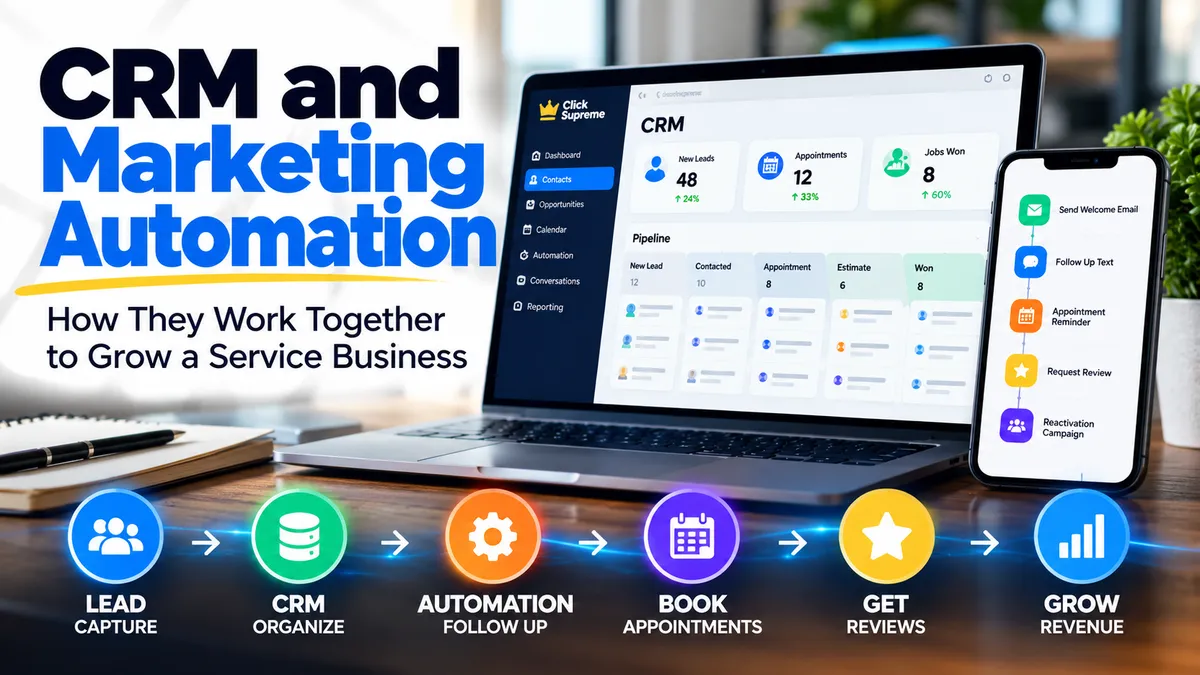
CRM and Marketing Automation: How They Work Together to Grow a Service Business
Generating more leads is important, but getting a new lead is only the beginning. Service businesses also need a reliable way to organize those leads, respond quickly, follow up over time, and keep opportunities from getting lost in the shuffle.
That is where CRM and marketing automation can work together.
A customer relationship management system, or CRM, gives a business a central place to manage its contacts, conversations, opportunities, appointments, and customer information. Marketing automation takes many of the repetitive actions surrounding those relationships and allows them to happen automatically based on predetermined triggers and workflows.
Individually, both can be useful. When CRM and marketing automation are connected as part of the same system, however, they can help a service business build a much more consistent process for turning inquiries into customers.
For a small service business, that doesn't necessarily mean creating complicated automation or replacing personal communication. The goal is much simpler: use technology to make sure the right things happen at the right time while keeping the business owner and team focused on the conversations that actually require a human touch.
What Is a CRM?
A CRM is essentially a central database for managing relationships with prospects and customers. Instead of having leads scattered between email inboxes, text messages, spreadsheets, website forms, social media accounts, and someone's phone, a CRM brings that information together.
But a modern CRM can do considerably more than store names and phone numbers.
A service business might use its CRM to see where a new lead came from, review previous conversations, track the services someone is interested in, schedule appointments, assign leads to team members, and monitor where each opportunity sits within the sales process. If you're still exploring the fundamentals, our guide to CRM for service businesses takes a closer look at how a CRM can help organize leads, conversations, and customer information.
For example, imagine an HVAC company receives an estimate request through its website. Rather than simply sending that information to an email inbox, the lead can be added directly to the CRM along with the person's contact information, requested service, lead source, and any other information collected through the form.
The company now has a record it can track from the initial inquiry all the way through the completed job and future customer relationship.
That organization becomes increasingly valuable as lead volume grows. Five inquiries may be relatively easy to remember. Fifty inquiries coming from multiple channels are much harder to manage without a system.
What Is Marketing Automation?
Marketing automation uses technology to perform repetitive marketing and follow-up activities based on rules established by the business.
That could be as simple as automatically sending a confirmation email after someone submits a form. It could also involve a longer sequence of actions based on what the prospect or customer does next.
For example, when a potential customer requests an estimate, an automated workflow might immediately confirm that the request was received. The business could then receive a notification that a new lead needs attention. If the prospect doesn't schedule an appointment, another message could be sent later reminding them to take the next step.
This type of lead automation can help create a more consistent process for responding to and nurturing new opportunities without requiring every step to be performed manually.
Once that person becomes a customer, entirely different automations can begin. Appointment reminders can be sent before the service visit, follow-up messages can go out afterward, and satisfied customers can be asked to leave a review.
The important point is that marketing automation isn't simply about sending more messages. Good automation creates a consistent process so important follow-up doesn't depend entirely on someone remembering to do it manually.
CRM vs. Marketing Automation: What's the Difference?
CRM and marketing automation are closely related, but they aren't exactly the same thing.
A CRM primarily helps a business organize and manage relationships. Marketing automation helps the business automate actions surrounding those relationships.
Think about the CRM as the place where customer information and activity live. Marketing automation uses that information to determine what should happen next.
For example, the CRM might show that a prospect requested an estimate three days ago but hasn't scheduled an appointment. Marketing automation can use that information to trigger an appropriate follow-up.
Likewise, the CRM might show that a customer recently completed a service. That change in status could trigger an automated thank-you message or review request.
Instead of treating CRM and marketing automation as two completely separate tools, it is often more useful to think about how they can function together as parts of the same customer journey.
How CRM and Marketing Automation Work Together
The real value becomes easier to see when we follow a lead from beginning to end.
Suppose a homeowner searches online for an HVAC contractor and lands on a company's website. After reviewing the company's services, the homeowner submits a request for an estimate.
The CRM creates a contact record and stores the information submitted through the form. The lead can also be placed into the appropriate stage of the company's sales pipeline.
Marketing automation can then take over some of the repetitive steps.
The homeowner might immediately receive confirmation that the request was received, while someone at the HVAC company receives a notification that a new opportunity has entered the system. If the company calls but doesn't reach the homeowner, the lead remains visible in the pipeline rather than disappearing into an inbox.
Follow-up can continue until the homeowner responds, schedules an appointment, or indicates they are no longer interested.
Once the job is booked, the contact can move into another stage. Appointment reminders can be sent automatically. After the work is completed, the customer can move again, potentially triggering a thank-you message and a request for feedback or a Google review.
The CRM keeps track of the relationship while automation helps move the relationship forward.
Practical CRM Marketing Automation Examples for Service Businesses
The best CRM marketing automation doesn't necessarily require dozens of complicated workflows. In many cases, a few simple systems can solve common problems service businesses deal with every day.
New Lead Follow-Up
When someone fills out a website form, calls the business, or submits another type of inquiry, speed matters. A CRM can capture the lead while automation immediately confirms the inquiry and alerts the appropriate person.
The automated response isn't meant to replace the sales conversation. Its job is to bridge the gap between the moment someone reaches out and the moment a real person can respond.
Missed Call Follow-Up
Service businesses can't answer every phone call. A contractor may be on a job, driving, speaking with another customer, or simply unavailable when someone calls.
A missed-call workflow can automatically send a text message letting the caller know the business received the call and giving them an opportunity to respond by text.
The conversation can then be stored alongside the contact's other activity in the CRM, giving the business another opportunity to recover a lead that might otherwise call a competitor.
Estimate and Quote Follow-Up
Not every customer makes a decision immediately after receiving an estimate.
Without a system, those opportunities can easily be forgotten as new jobs and leads arrive. A CRM pipeline makes outstanding estimates visible, while automation can help maintain contact with prospects who haven't made a decision.
This doesn't mean bombarding someone with messages. Even a small number of well-timed follow-ups can create a more consistent sales process than relying entirely on memory.
Appointment Reminders
No-shows and forgotten appointments cost service businesses time and money.
Once an appointment is scheduled and recorded in the system, automated reminders can help confirm that the customer still plans to attend. Depending on the business, reminders might be sent by email, text message, or both.
The business spends less time manually confirming appointments while customers receive helpful communication before their scheduled service.
Review Requests
The customer relationship shouldn't automatically end when the job is completed.
Once a customer reaches the appropriate stage in the CRM, a workflow can send a review request after the service is finished. If the customer doesn't respond immediately, the business may choose to send an additional reminder later.
We've discussed this process in more detail in our guide to automated review requests, including how businesses can create a more consistent process for asking customers for feedback.
The CRM is what makes the process easier to manage at scale. Instead of manually keeping a list of customers who should receive a review request, the customer's status can determine when the workflow begins.
Customer Reactivation
One of the most overlooked benefits of maintaining a CRM is the database a business builds over time.
Former customers and old leads represent people who already know the business. Depending on the service, some of those contacts may need additional work months or years later.
A service business can segment its CRM based on previous services, dates, customer status, or other information and create targeted reactivation campaigns.
An HVAC company, for example, might contact previous customers before the beginning of a particularly busy season. A plumbing company might reconnect with customers who previously requested certain types of work. Other businesses may use their database to promote recurring maintenance or complementary services.
Instead of starting from zero every time the business needs more work, the CRM becomes an asset that grows as the company grows.
Why Integration Matters
Using a CRM and marketing automation separately can create unnecessary friction.
If customer information has to be manually copied between systems, records can become outdated and important activity can be missed. Integration allows customer data and marketing activity to work together.
When a prospect replies to a message, books an appointment, completes a form, or moves to another stage in the sales process, the CRM should reflect that activity. The automation should also adjust accordingly.
For example, there is little reason to continue sending "schedule your estimate" messages to someone who already booked an appointment.
This is why marketing automation and CRM integration matters. Automation becomes far more useful when it responds to what's actually happening with the customer rather than blindly sending predetermined messages.
Marketing Automation Should Support Human Conversations, Not Replace Them
One of the easiest mistakes to make with automation is trying to automate too much.
Service businesses are built around relationships. Customers often have questions, unique circumstances, and concerns that can't be handled effectively through a predetermined workflow.
The purpose of automation should be to remove unnecessary repetitive work and make important conversations easier to manage.
A confirmation message can be automated. A reminder can be automated. A notification to the business can be automated. A simple follow-up sequence can be automated.
But when a customer has a specific question about an estimate, wants to discuss the scope of a project, or needs help deciding which service is appropriate, that's often where human communication becomes more valuable.
A good CRM marketing automation system creates more opportunities for those conversations rather than attempting to eliminate them.
Start With the Customer Journey Before Choosing Tools
It's easy to begin by comparing CRM marketing automation tools, features, and software prices. For many service businesses, there's a more useful place to start.
Map out what currently happens when someone becomes a lead.
Where do leads come from? Who receives the inquiry? How quickly does someone respond? What happens if the prospect doesn't answer? Where is the opportunity tracked? How are estimates followed up? What happens after an appointment is scheduled? How are previous customers contacted again?
Once those questions are answered, it becomes much easier to determine which parts of the process should be managed through a CRM and which repetitive steps could benefit from automation.
The software should support the process rather than determine the process.
Do Small Service Businesses Really Need CRM and Marketing Automation?
Not every business needs an elaborate system.
A solo service provider receiving only a handful of inquiries each month may be able to manage leads with a relatively simple process. But the need for better organization tends to increase as the number of leads, customers, employees, and marketing channels grows.
The warning signs are often easy to recognize.
If leads are being forgotten, estimates aren't consistently followed up, customer information exists in several different places, missed calls aren't being recovered, or previous customers are rarely contacted again, a CRM combined with thoughtful automation may help.
The objective isn't to add more technology simply for the sake of having technology. The objective is to create a repeatable system that helps the business manage opportunities more consistently.
CRM and Marketing Automation Can Turn Follow-Up Into a System
Generating leads is only valuable when a business has a process for turning those opportunities into customers.
A CRM provides the organization. Marketing automation provides consistency. Together, they can help service businesses respond faster, track opportunities, follow up with prospects, communicate with customers, request reviews, and maintain relationships long after the first job is completed.
More importantly, the system doesn't have to begin with dozens of workflows.
Start with one problem.
Maybe new leads aren't receiving a quick response. Maybe estimates aren't being followed up. Maybe missed calls are being lost. Maybe satisfied customers aren't being asked for reviews.
Solve that problem first. Then build from there.
Over time, CRM and marketing automation can become less about individual software features and more about creating a dependable customer journey — from the first inquiry to the completed job and, ideally, the next time that customer needs your services.
Where Could CRM and Automation Help Your Business?
Every service business handles leads and customers a little differently. The right system depends on how leads currently enter your business, how your team follows up, and where opportunities tend to fall through the cracks.
Our Business Growth Assessment can help you take a closer look at your current marketing and follow-up process and identify areas where CRM, automation, lead generation, and other digital systems may be able to help.
Take the Business Growth Assessment to see where your business may have opportunities to improve its current customer journey.
